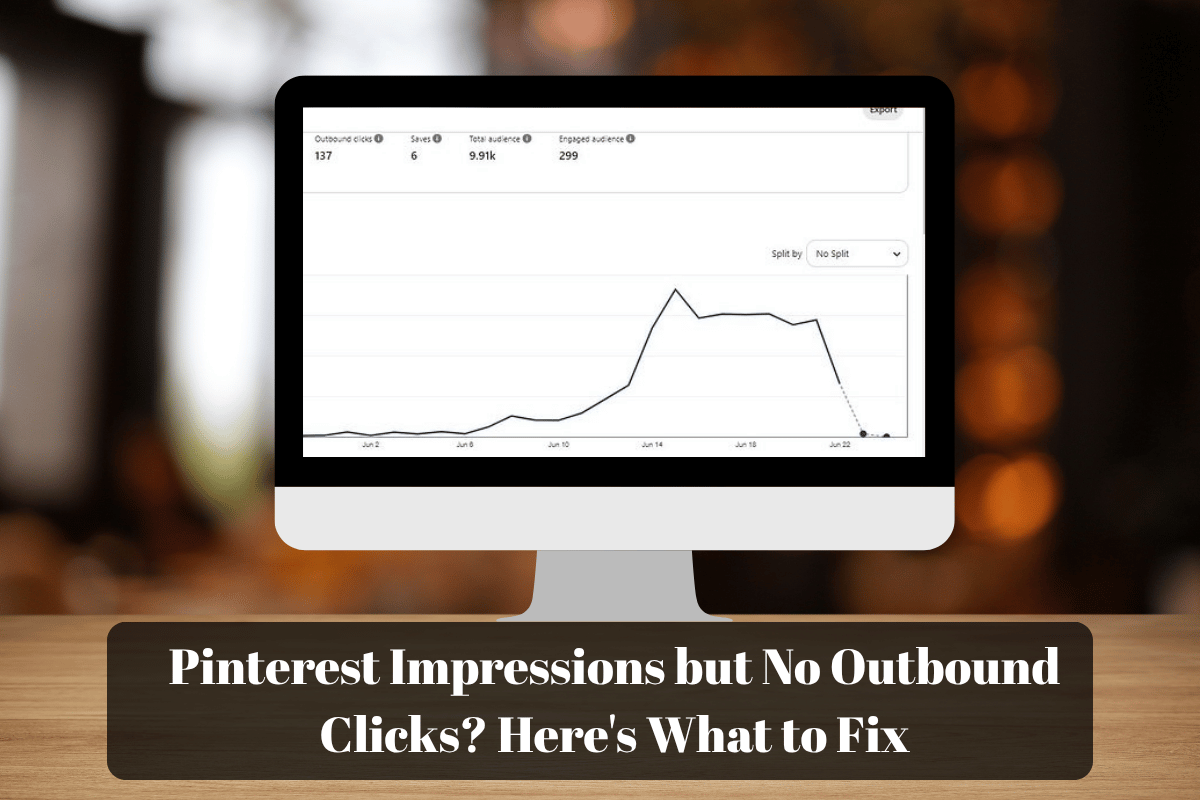
You open Pinterest Analytics, look at your numbers, and see that your Pins are getting impressions. That’s encouraging, right? Your content is appearing in front of people.
But then you check your outbound clicks.
Almost nothing.
And now you’re wondering: If people are seeing my Pins, why aren’t they visiting my website?
It’s a frustrating situation, especially when you’ve spent time choosing images, designing Pins, writing headlines, and researching keywords.
You know your content has something useful to offer, but somehow, people keep scrolling instead of clicking.
Here’s something worth remembering: getting impressions is only one part of the picture.
Your Pin might be reaching people who aren’t interested in the topic, its message might not be clear enough, or readers might simply not see a compelling reason to click.
The good news is that you don’t have to start your entire Pinterest strategy from scratch.
Before you create another batch of Pins, let’s look at what might be happening and what you can do about it.
First, Are People Ignoring Your Pin or Just Not Visiting Your Website?
This is where I’d start, because not every Pinterest click means the same thing.
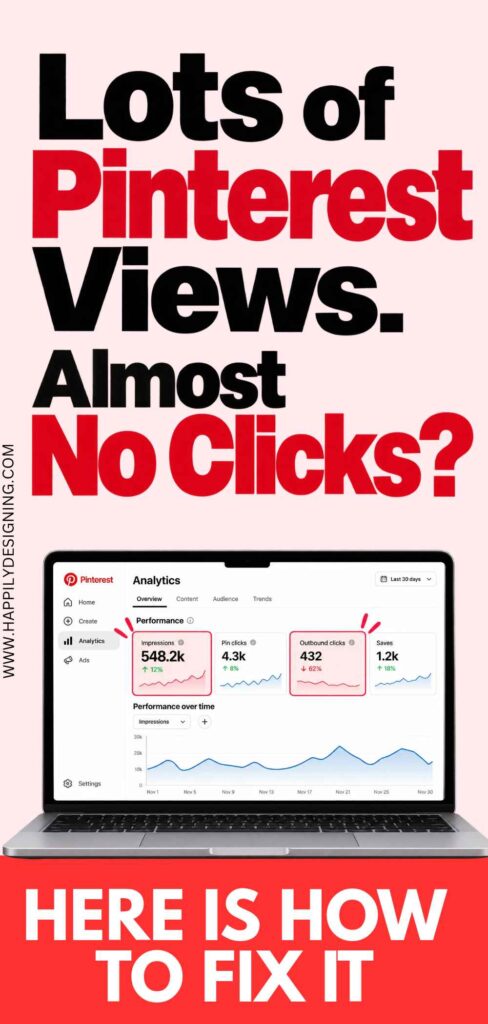
When you open Pinterest Analytics, you’ll see several metrics. Understanding the difference can help you narrow down the problem.
- Impressions: The number of times your Pin appeared on someone’s screen.
- Pin clicks: The number of times people clicked to view or engage with your Pin.
- Outbound clicks: The number of times people clicked through from your Pin to its destination.
📌 Not Getting Any Pinterest Impressions?
If your Pins aren’t appearing in front of people in the first place, you’ll need to investigate a different problem. Read my guide on why your Pinterest Pins aren’t getting impressions and what to check to find possible reasons for low visibility and learn what to investigate next.
Let’s say one of your Pins receives 5,000 impressions.
If very few people click to open the Pin, its image or headline might not be attracting enough attention.
If people open the Pin but rarely visit the linked page, you may need to look more closely at the reason to click, the destination, and how clearly the Pin communicates its value.
These numbers don’t tell you the whole story on their own, but they give you a starting point.
So, before changing your design, check the individual Pin’s statistics. Find out where people seem to be losing interest.
It will make your next step much more purposeful.
Your Headline Might Be Missing One Important Thing
Imagine you’re scrolling through Pinterest looking for ways to make a small bedroom feel bigger.
You see one Pin that says: Small Bedroom Ideas
Then you see another: 17 Small Bedroom Ideas That Make Your Room Feel Bigger
Both are relevant. But the second headline gives you a more specific reason to take a closer look.
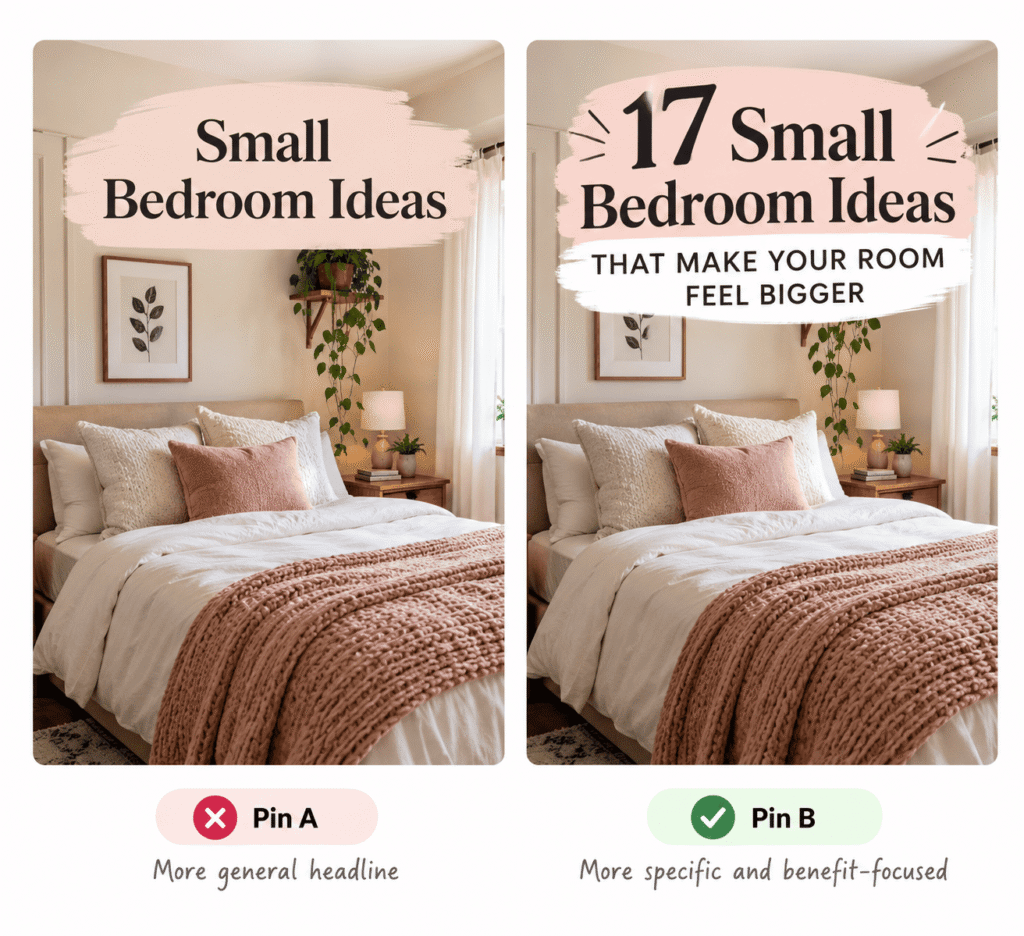
That’s the difference between simply naming a topic and showing someone why the topic matters to them.
Your headline doesn’t need to promise a life-changing transformation. It just needs to help the right person understand what they’ll get from clicking.
For example, if your content is about organizing a small bathroom, think about what the reader actually wants.
Are they struggling with limited storage? Looking for ways to clear their countertop? Trying to make the room feel less cluttered?
The more clearly your Pin communicates the benefit, the easier it becomes for someone to decide whether the content is relevant.
When reviewing your headline, ask yourself:
- Does it communicate a clear benefit or useful idea?
- Would someone understand the topic without reading the description?
- Is it specific enough to stand out among similar Pins?
- Does it accurately represent what’s on the linked page?
You don’t need to rewrite every headline. Sometimes, making one vague phrase more specific is enough to give the reader a clearer reason to click.
Sometimes, the Pin Is Reaching the Wrong People
This one can be easy to overlook because impressions can make a Pin look successful at first glance.
But think about it. If your Pin reaches people who aren’t interested in the content behind it, why would they click?
Imagine you’ve written an article about affordable living room decorating ideas.
Your Pin, however, features an extravagant luxury interior and uses wording that suggests expensive designer inspiration.
The image might catch someone’s eye, but a person searching for budget-friendly decorating ideas may scroll past because the Pin doesn’t seem relevant to their needs.
The opposite can happen, too. Someone looking for luxury interior inspiration might not recognize the value of a Pin that looks like a basic budget decorating guide.
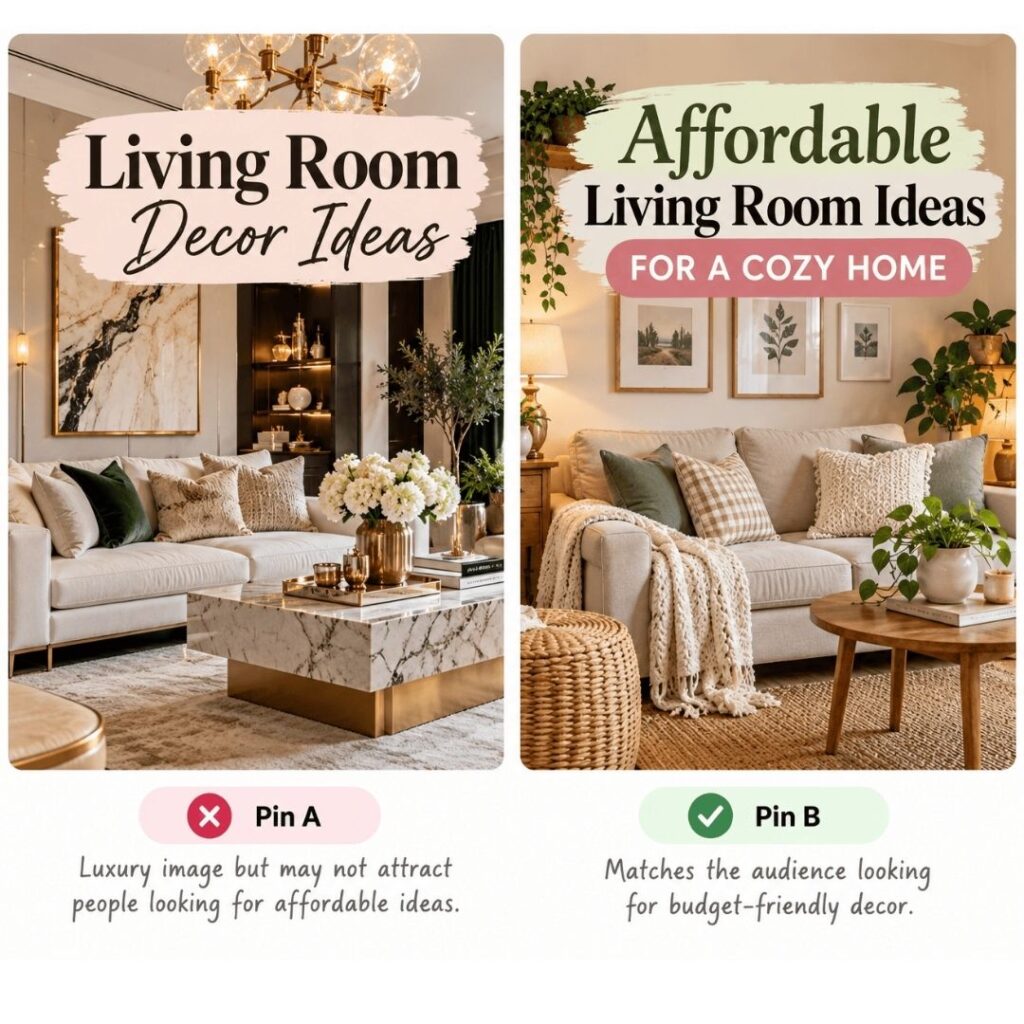
This is why your headline, image, keywords, and destination should work together.
You don’t need to use the same words everywhere, but the overall message should be consistent.
If your article helps readers decorate a rental apartment without making permanent changes, for example, make sure your Pin communicates that kind of solution rather than simply saying “Beautiful Apartment Ideas.”
A small shift in relevance can matter more than adding another keyword.
Before publishing, consider who you’re trying to attract and whether your Pin makes that clear.
A Beautiful Pin Can Still Be Difficult to Understand
We all know how tempting it is to keep adjusting a design. You change the font, try another color combination, move the text, and add a few decorative details.
And sometimes, after all that effort, the Pin looks beautiful but the main message gets lost.
When someone scrolls through Pinterest, they don’t have much time to figure out what a design is trying to communicate. Your Pin should make the topic clear without requiring too much effort.
Here are a few things to check.
Can you read the headline on a small screen?
A font that looks elegant on your computer might be difficult to read on a phone. If the letters are too small, thin, or crowded, simplify the typography.
Does the headline stand out?
If your image, decorative elements, and supporting text all compete for attention, the reader may not know where to look first. Give the main message enough visual space.
Is there enough contrast?
Text that blends into the background can be difficult to read, even when the colors look lovely together. Make sure the words stand out clearly.
Does the image support the topic?
A beautiful photograph can attract attention, but it should also help communicate what the Pin is about.
Here’s a simple test I like to recommend: look at your Pin at a smaller size, as though you were viewing it while scrolling on your phone. Can you understand its main message almost immediately?
If not, simplify it before adding more design elements.
Give People a Reason to Visit the Destination
Now let’s consider something beyond the design itself.
Suppose your Pin says, 15 Clever Ways to Organize a Tiny Bathroom.
Someone sees it and thinks, “That’s exactly what I need.” But before clicking, they still need to believe that the destination will help them solve their problem.
Your Pin should make the value of clicking clear.
Compare these two approaches:
- Bathroom Organization Ideas
- 15 Clever Ways to Create More Storage in a Tiny Bathroom
The second communicates a more specific benefit. It helps readers imagine what they might discover on the other side of the click.
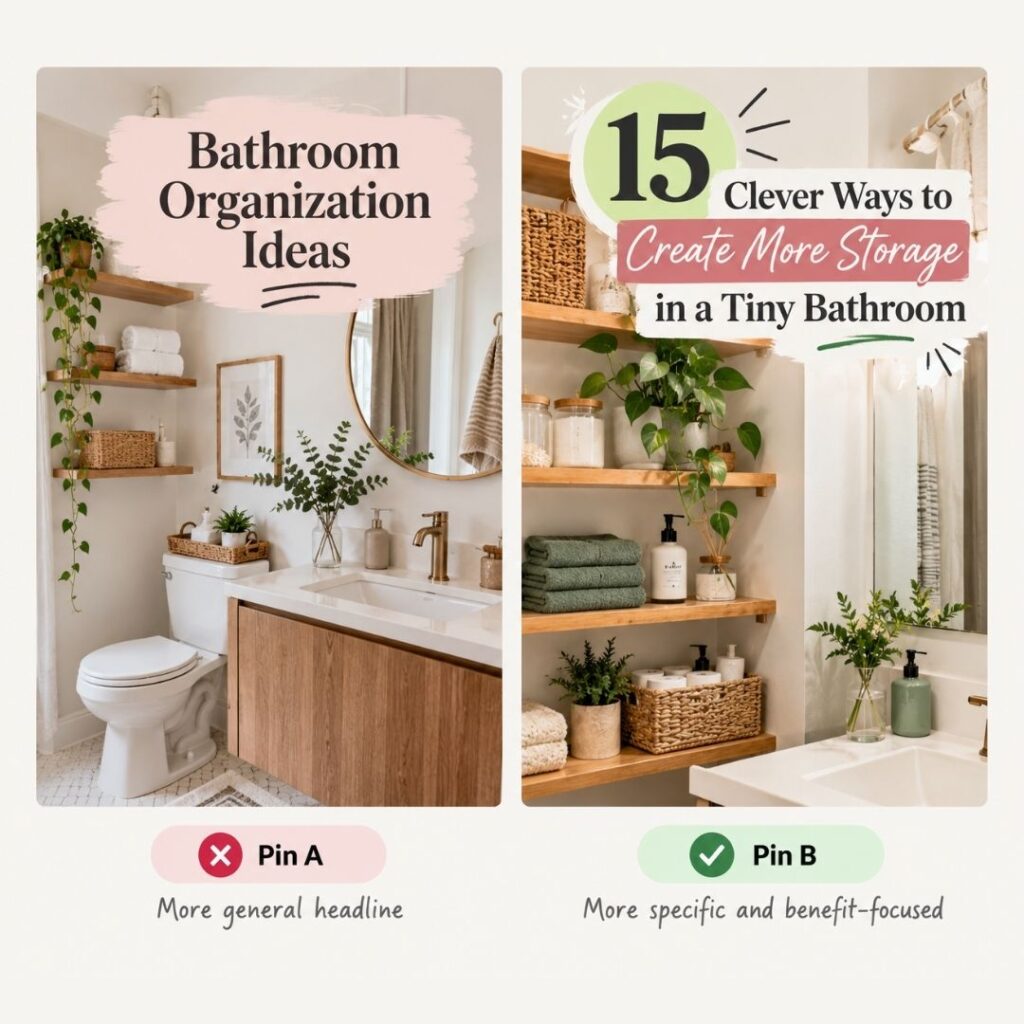
Of course, your destination has to deliver on that promise.
If your Pin advertises 15 practical storage solutions but the article mostly contains general bathroom decorating inspiration, readers may feel that the content isn’t what they expected.
That mismatch is worth avoiding.
Make sure the destination answers the question your Pin raises. If your article covers small-space storage, lead readers into that content rather than making them search through unrelated information.
You can create curiosity without revealing everything. Just make sure the curiosity leads to something useful.
What I’d Check Before Creating More Pins
If you’re seeing impressions but very few outbound clicks, resist the urge to redesign everything at once.
Instead, choose one Pin and review it carefully.
Here’s a quick checklist you can use.
📌 Pinterest Outbound Click Checklist
Before creating more Pins, take a moment to check these six things. A few small improvements may help you understand why people aren’t clicking.
📊 1. Check Your Metrics
Compare impressions, Pin clicks, and outbound clicks to understand where engagement may be dropping.
✍️ 2. Review Your Headline
Does your headline give readers a clear reason to explore the content? Make the main benefit easy to understand.
🎨 3. Look at Your Design
Check whether the main message is readable, the text has enough contrast, and the design is easy to understand on a phone.
🎯 4. Check Audience Relevance
Do your headline, image, and keywords match what your intended audience is actually looking for?
🔗 5. Open the Destination
Make sure the linked content delivers what your Pin promises. Readers should find the information they expected when they clicked.
✅ 6. Choose One Improvement
Pick one meaningful change to test instead of changing everything at once. This makes it easier to learn what may be helping.
💡 Remember: Don’t just create more Pins. First, learn what your existing Pins are telling you.
For example, if the headline feels too general, try a more specific version while keeping the rest of the design similar.
If the headline is already clear but difficult to read, simplify the text layout instead.
Making one meaningful change at a time gives you a better chance of understanding what might be helping.
If you change the headline, image, colors, and keywords simultaneously, it becomes much harder to identify the reason for any improvement.
And please, don’t judge a change based on a handful of clicks. Pinterest performance can fluctuate, and small samples don’t always tell a reliable story.
Give your Pins time to collect data and look for patterns across comparable Pins.
One Last Thing: Don’t Confuse Attention With Intent
A person can enjoy looking at a Pin without wanting to visit its destination.
Think about a gorgeous living room photograph. Someone might pause because they love the colors or furniture.
But if the Pin doesn’t explain whether it offers decorating ideas, a guide to a particular style, or solutions for a small space, there may be no clear reason to click.
That’s why a Pin needs more than an attractive image.
The image catches attention. The headline communicates the value. The destination provides the information the reader came looking for.
When those three pieces work together, the decision to click becomes easier.
Before you publish your next Pin, ask yourself one simple question:
If I were looking for this information, would I understand why clicking this Pin would be worth my time?
If you can’t answer that question confidently, you have a useful place to start.
The Bottom Line
Pinterest impressions but no outbound clicks don’t necessarily mean your content is bad or your account isn’t working.
Your Pin might need a clearer headline. It might be reaching people whose interests don’t match the destination.
The design could be difficult to read, or the benefit of clicking might not be obvious enough.
Rather than guessing, start with one Pin and look at what its numbers are telling you.
Check the headline, consider the audience, review the design, and make sure the destination delivers what you’ve promised. Then test one improvement and see what you learn.
You don’t need to keep creating more Pins just because the existing ones aren’t getting clicks.
Sometimes, taking a closer look at what you’ve already published is the more useful next step.
And once you understand what’s happening, you’ll have a much clearer idea of what to improve in your next Pin.