You’ve been creating Pinterest Pins, writing descriptions, adding keywords, and publishing consistently.
Then you open your analytics.
And… almost nothing.
A few impressions here and there, perhaps. But nowhere near the visibility you expected.
It’s frustrating, especially when you’ve spent time creating content and you’re hoping Pinterest will bring people to your website or other online destination.
Before you start making more Pins or completely change your strategy, take a breath.
What You’ll Learn
In this guide, you’ll discover practical ways to troubleshoot Pinterest Pins that aren’t getting impressions.
Check whether your Pins match what people search for.
Explore search interest and seasonal trends.
Make your headline and visual message easy to understand.
Ensure your link works and your page delivers what the Pin promises.
Know what to review before changing your strategy.
The first thing to do is figure out where the problem might be.
Low impressions don’t automatically mean your designs are bad or that Pinterest isn’t working for you.
There are several things worth checking before you decide what to change.
1. Check whether your keywords match your Pin
Let’s start with something simple: the topic of your Pin.
Imagine you’ve created a Pin about small bedroom decorating ideas. Your image shows a beautiful, compact bedroom, but your title and description focus on general home decor.
The content might be attractive, but the topic isn’t as specific as it could be.
When you create a Pin, think about what someone interested in that exact idea might search for.
Instead of using a broad phrase like “Beautiful Bedroom,” you could use something more descriptive, such as “Small Bedroom Ideas For People Over 50.”


The second phrase and its pin gives people a clearer idea of what they’ll find.
Here’s what I’d check:
- Does your Pin have a clear, specific topic?
- Does the title describe what the image or content actually shows?
- Does the description naturally include relevant search terms?
- Does the linked page deliver what the Pin promises?
Pinterest recommends using relevant context in Pin titles, descriptions, and related content to help people discover Pins.
You don’t need to cram every possible keyword into your description. Focus on making the topic clear.
2. Stop guessing what people are searching for
Sometimes, the problem isn’t how you’re creating your Pins. It might be the topic you’re choosing.
You could spend hours creating beautiful Pins about something people aren’t searching for very often right now.
Or you might be targeting a broad phrase when a more specific search term would better match your content.
This is where Pinterest Trends can help.
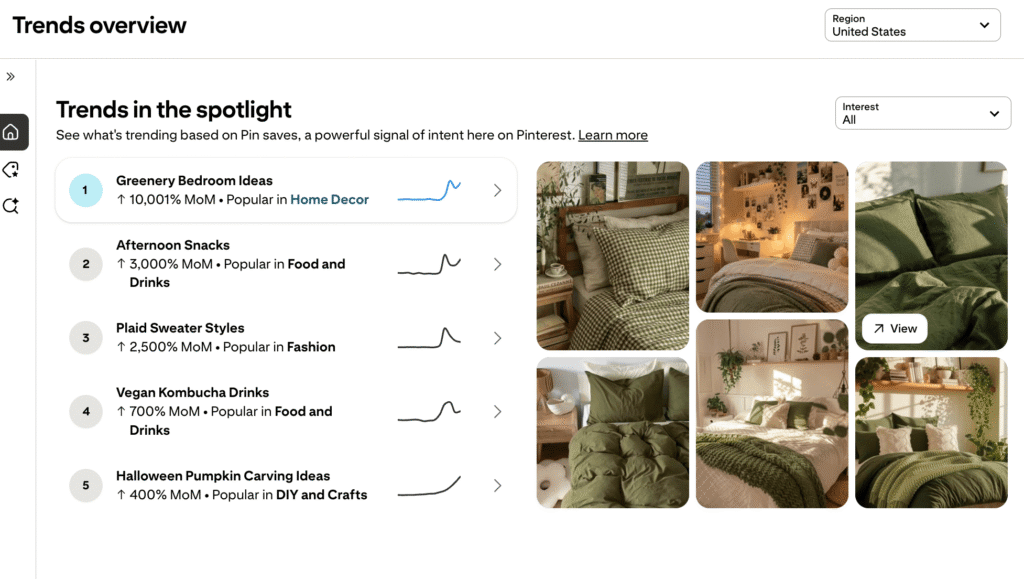
Pinterest Trends lets you explore search trends for different regions and examine how interest in particular terms changes over time.
Here’s a simple way to use it:
- Open Pinterest Trends and select the region you want to target.
- Search for a phrase related to your content.
- Explore related trends and compare relevant keywords.
- Look at whether interest changes seasonally.
- Choose a phrase that genuinely matches the Pin and the destination.
For example, if your content is about decorating a small bedroom, you could compare related phrases such as “small bedroom ideas” and “small bedroom storage ideas.”
These phrases appeal to slightly different needs.
Choose the one that best describes your content rather than simply picking whichever trend looks strongest.
Remember, a trend graph shows relative interest, not a guarantee that your Pin will receive impressions.
3. Make sure your Pin and destination tell the same story
Here’s something that’s easy to overlook.
Your Pin might be about one thing, while the linked page focuses on something slightly different.
For example, your Pin promises “Easy Ways to Organize a Small Closet,” but the destination mostly discusses general bedroom decorating.
Someone who discovers the Pin may not find the information they expected.
Pinterest specifically recommends checking that the Pin’s image, text, and keywords match the landing page. It also advises checking broken links and ensuring Pinterest can retrieve information from your website.
So, open your own Pin and follow its link.
Ask yourself:
- Does the page load correctly?
- Does the page clearly address the Pin’s topic?
- Is the main content easy to find?
- Does the page provide the information the Pin promises?
If something doesn’t match, fix that before creating another batch of Pins.
4. Take a closer look at your Pin itself
Now let’s talk about design.
I’m not suggesting that every Pin with low impressions has a design problem. Distribution depends on multiple factors, and a beautiful Pin doesn’t automatically receive more reach.
However, the quality and clarity of your creative are still worth reviewing.
Imagine scrolling through Pinterest on your phone.
You see a Pin with tiny text, several different fonts, low contrast, and a headline that takes effort to understand.
Would you immediately know what the Pin is about?
✨ Is Your Pin Easy to Read?
Give your design a quick mobile-friendly check.
Can someone understand your main message in a quick glance?
Is your headline large enough, with fonts that are easy to read?
Does the image support the topic instead of distracting from it?
Does the viewer know where to look first?
Can you remove unnecessary text, colors, or decorative elements?
You don’t need to make every Pin elaborate.
Sometimes, a clear headline, a relevant image, and a well-organized layout are all you need to communicate the idea.
5. Check your account and website status
If you’ve checked your keywords, topic, destination, and creative but impressions remain unusually low, don’t ignore technical or account-related possibilities.
Open Pinterest and look for any notifications about your account or content.
If you have a website, check that your links work and your pages load properly. Pinterest also recommends ensuring your website doesn’t block Pinterest’s bot from retrieving information.
If Pinterest has sent you a warning or restriction notice, follow the official instructions provided.
Don’t assume your account has been restricted simply because one Pin has low impressions. Look for actual evidence before drawing that conclusion.
6. Give your Pins time, but don’t stop reviewing them
One mistake I would avoid is judging every Pin too quickly.
Pinterest says there is no fixed engagement window for Pins. Some can gain engagement hours, days, months, or even years after publication.
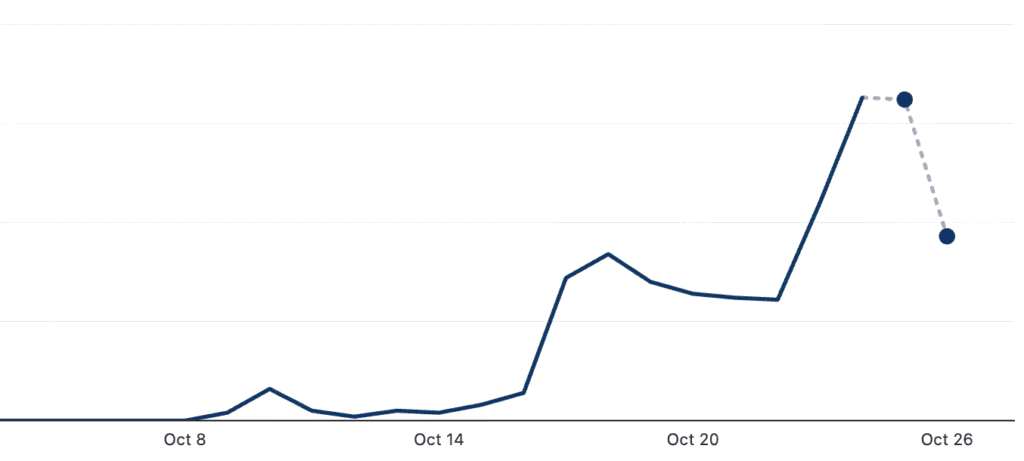
That doesn’t mean you should wait indefinitely without checking anything.
Instead, review your results over a reasonable period and look for patterns across several Pins.
Are all your recent Pins struggling, or is it only one topic?
Are some keywords performing better than others?
Are older Pins still receiving impressions?
Your Pinterest Analytics can help you compare impressions, saves, Pin clicks, and outbound clicks. These metrics show different kinds of activity, so look beyond a single number.
The goal isn’t to find a magic number of days after which every Pin should succeed.
It’s to give yourself enough information to make a sensible decision.
You don’t have to change everything at once. Start with the most obvious issue, make a relevant improvement, and review what happens.
🔎 Before You Publish Another Pin…
Run through this quick Pinterest health check!
Does your Pin target a specific, relevant topic? Have you checked what people are searching for?
Do your title and description accurately explain what’s in the Pin?
Does the link work, and does the page deliver what your Pin promises?
Is your headline clear and easy to read on a small screen?
Have you checked Pinterest notifications or possible website issues?
Have you compared your results with other Pins over a reasonable period?
One final thought
When Pinterest Pins aren’t getting impressions, it’s tempting to assume you need to publish more.
But publishing more without understanding the problem can leave you doing extra work without learning much from it.
Start by checking relevance, search interest, the connection between your Pin and its destination, and any possible technical issues. Then review your creative and analytics to decide what deserves attention next.
And remember, your job isn’t to guess perfectly every time. It’s to learn enough from each Pin to make a better-informed decision about the next one.